


Google Play Books & Audiobooks
4.781.62K Reviews
App Specs
- Version
- Varies with Device
- Updated On
- License
- Free
- Downloads
- 1,000,000,000+
- Developer
- Google LLC
- Categories
- Books & Reference
- Platform
- Android, iOS
Screenshots
 Analysis by AppCompare
I found that Google Play Books & Audiobooks works best as a flexible place to keep reading and listening, rather than as a promise that every book is free. That distinction matters when deciding whether to make it part of your routine: the app costs nothing to download, while books and audiobooks may be purchases. I like having both formats together, but I’d choose it based on how I actually read, not simply because it puts a library on my phone.
The Reading and Listening Experience
When you first open the app, you’re greeted by a clean and intuitive interface. Seriously, it’s like walking into a well-organized bookstore where everything is just a tap away. You can quickly browse through categories like bestsellers, new releases, and personalized recommendations. It’s super handy, especially if you’re not exactly sure what you want to read next.
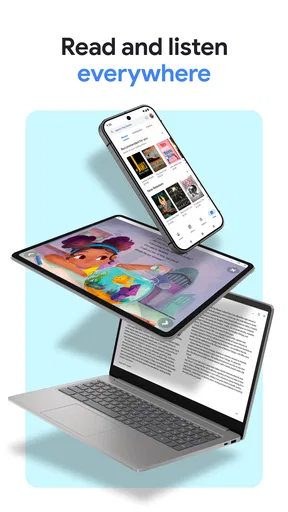
One of the coolest features of Google Play Books & Audiobooks is the cloud sync. Start reading on your phone, switch to your tablet, and then back to your phone without losing your place. It’s seamless and makes following your reading journey a breeze. In practice, this is particularly useful for people whose reading happens in short stretches: a few pages while waiting, a longer session at home, then a quick return to the same spot later.
Guides and Analysis on Google Play Books & Audiobooks
Audio Bliss for Book Lovers
Not in the mood to read? No problem. The app’s audiobook section is a total game-changer. It offers a vast selection of titles across genres, and the audio quality is top-notch. Imagine chilling out, closing your eyes, and letting someone else do the reading for you. It’s perfect for long commutes or lazy Sunday afternoons.
Moreover, the playback options are pretty flexible. You can adjust the speed, set a sleep timer, or even bookmark certain parts. It’s these little touches that make listening such a pleasure. I’d use the timer when listening in bed and a bookmark when a passage is worth finding again; those controls make audio feel more deliberate than simply pressing play and hoping to remember where something happened.
Personalized Experience
Another thing I love is how the app personalizes your experience. It learns from your reading habits and suggests books you might like. Plus, there are tons of customizable options. You can change the font size, background color, and even switch to night mode for those late-night reads. It’s these small tweaks that make a big difference in creating a comfortable reading environment.
For a practical routine, I’d use recommendations as a way to discover possibilities, not as a substitute for choosing carefully. A suggestion can help when I’m between books, but a reader with a specific author, edition, or specialist title in mind may prefer searching a dedicated retailer or library catalogue first. The ability to adjust text is more immediately valuable: if I’m reading on a small screen, changing the size can make a short session comfortable without needing to zoom or constantly reposition the page.
Worth Reading Before You Choose

Flipboard Shows What News Apps Must Do Beyond the Feed

Switching to Android Auto Means Rethinking Your Driving Routine

Google Calendar Makes a Crowded Week Easier to Manage

Ludo King Makes the Most of the Minutes Between Plans

Baby Panda World Brings Quick Play to Modern Phones, but Its Game Library Feels Busy

ESPN’s Live Game View Makes Following Close Games Easier
"A room without books is like a body without a soul." – Marcus Tullius Cicero
Accessibility and Compatibility
The app is super accessible. Whether you’re using an Android or iOS device, it’s just a quick download away. And if you’re someone who uses multiple devices, worry not! The app’s compatibility is on point, ensuring your library is always with you, no matter what gadget you pick up. As a Books & Reference app from Google LLC, it has a familiar role for anyone who wants purchased reading material and listening in one place. It is free to install, rated Teen, and its 4.7 average across around 3.1 million ratings suggests that many readers have found it useful.
What the Free App Does—and What Books Cost
The important value distinction is between getting the app and getting the titles. There’s no download charge, but that doesn’t mean the catalogue is an all-you-can-read subscription. Individual books and audiobooks can involve in-app purchases, with listed item prices ranging from a cent to eight thousand dollars. That unusually broad range is not a sensible guide to what an ordinary reader will pay; it simply means checking the price of a specific title before buying is essential.
I’d treat the app as a convenient storefront and reading tool, then make each purchase on its own merits. If you already know what you want, compare that title’s price with the options you normally use rather than assuming that the app’s free status makes the book free too. If your goal is to read without buying individual titles, a library service, where available, may suit you better. If you prefer owning chosen books and having them available in the same reading environment, this setup is easier to justify.
A Small Routine That Shows Its Strengths
Picture a weekday with an awkward mix of spare moments: I read a few pages on my phone while waiting for an appointment, continue on a tablet at home, then listen to an audiobook during a walk the next day. The appeal is not that the app changes those activities; it is that reading and listening can fit around them, with progress syncing across devices. For this kind of stop-and-start use, continuity is more valuable than a complicated set of extra tools.
One helpful habit is to decide whether a book is better as text or audio before buying it. Audio controls such as speed adjustment and bookmarks can make a long listen easier to manage, while font and background settings are more useful when I want to focus on a passage or read in low light. These are different kinds of comfort, and having both formats available lets me choose according to the moment instead of forcing every book into one format.
Where It Fits Among Reading Apps
Compared with a dedicated ebook reader, Google Play Books combines book discovery, reading, and audiobooks in one app, which is convenient if I want fewer places to manage. A subscription-based reading service may be better for someone who reads widely and wants access through a recurring plan; a library app can be a stronger choice for borrowing; and a specialist audiobook service may appeal to listeners who care most about an audio-first catalogue and routine. The right comparison depends on the titles and payment model that matter to you, not just the interface.
There are trade-offs to that convenience. A single app does not guarantee that every title I want is available or that its price will beat another option. Recommendations can also be less helpful when my interests are narrow or I am shopping for a particular edition. I’d check the exact book and format before committing, especially for expensive or specialist purchases, and I would not choose this as my only option if borrowing or a subscription is central to how I read.
Who Should Make Room for It?
I’d recommend trying it if you already buy digital books, switch between a phone and tablet, or want a straightforward way to alternate between ebooks and audiobooks. It is also a reasonable starting point for someone who wants to explore digital reading without paying to install a reader first. Google Play Books has over one billion installs, and its long-running presence since December 6, 2010 makes it a familiar option, though neither fact guarantees that its selection or purchasing approach will suit every individual reader.
I’d skip it as a primary choice if you expect the free download to include a large body of books at no extra cost, strongly prefer borrowing, or want one subscription to cover your reading. It may also be a poor fit if you mainly read print books and have no interest in carrying digital copies. For those readers, a physical book, library borrowing, or a service built around their preferred payment model could deliver better value than adding another digital shelf.
My Buy-or-Skip Verdict
In conclusion, Google Play Books & Audiobooks isn’t just an app; it’s a whole reading and listening ecosystem. Whether you’re a hardcore bookworm or just dipping your toes into the world of audiobooks, this app provides a versatile platform to explore and enjoy. So, if you’re on the hunt for your next read or listen, give it a shot. You might just discover your new favorite book.
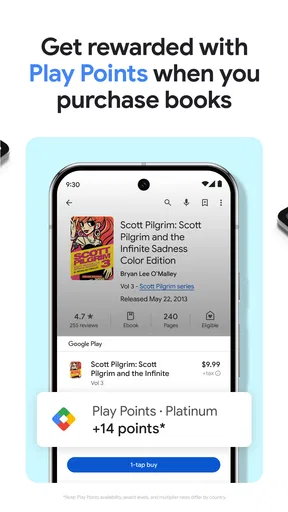
My recommendation is to download it if you want a free, convenient place to read and listen, then judge its value by the specific titles you plan to buy. The app’s strongest case is everyday flexibility: synced progress, adjustable reading, and useful listening controls in one place. Its main caution is equally straightforward: the app is free, but the books may not be. That makes it easy to try and worth keeping for the right reader, but not automatically the cheapest way to build a library.
Pros
- Wide range of book titles available.
- Syncs across multiple devices seamlessly.
- Offline reading and listening options.
- Personalized recommendations improve over time.
- Supports multiple languages for global users.
Cons
- Limited customization for audiobook playback.
- Some books might be region-restricted.
- Free samples can be too short.
- Occasional issues with syncing progress.
- In-app purchases can be costly.
FAQs for Google Play Books & Audiobooks
What types of content can I access on Google Play Books & Audiobooks?
Google Play Books & Audiobooks offers a vast collection of eBooks and audiobooks across various genres, including fiction, non-fiction, academic texts, and more. Users can purchase or rent books, and enjoy features like offline reading, customizable fonts, and audiobook playback speed adjustment. It’s a versatile platform for all reading preferences.
Is there a subscription service available for Google Play Books & Audiobooks?
Google Play Books & Audiobooks primarily operates on a pay-per-book basis, meaning you purchase or rent individual titles. However, they occasionally offer deals and bundles for multiple purchases. Unlike some competitors, there isn't a comprehensive subscription service for unlimited access to all titles.
Can I access my books on multiple devices?
Yes, Google Play Books & Audiobooks supports syncing across multiple devices. You can start reading on your smartphone and continue on your tablet or computer. Your progress, notes, and bookmarks are saved in the cloud, ensuring a seamless reading experience across different platforms.
How user-friendly is the Google Play Books & Audiobooks app?
The app is designed with user-friendly navigation, offering features like a customizable reading interface, night mode, and text-to-speech. The audiobook player is intuitive with easy controls for playback speed and sleep timer. Overall, it caters to both casual readers and avid book enthusiasts.
Are there any additional features for enhancing the reading experience?
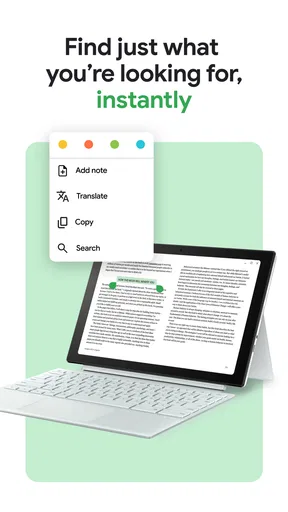
Google Play Books & Audiobooks includes several features to enhance your reading experience, such as personalized recommendations, the ability to highlight text and take notes, and integration with Google Assistant for hands-free operation. These features make it a comprehensive tool for both reading and studying.


